
How to Search Cases by Name
The official MCRO Case Search lets you look by Name, Case Number, Citation Number, or Attorney. A name search in Olmsted County takes two quick choices. Pick Person or Business. Then type the exact spelling first. If the case belongs in the local District Court, select Olmsted County under the specific-county location controls. Do not trust a match right away. Compare the case title, the party role, the case type, the filed date, and the venue. Small details decide whether a result is really the Olmsted County matter you want.
- Accept the MCRO terms, choose Name, and select Person or Business for the Olmsted County search.
- Enter the exact last name and, if known, first and middle names. Start an Olmsted County query narrow.
- Use the Olmsted County location, a case category, date-filed range, or DOB only when necessary and lawfully available.
- Open the result through View Case Details and read the Olmsted County Register of Actions rather than relying on a name alone.
| Field Label | Type | Required | Olmsted Search Note |
|---|---|---|---|
| Person or Business | Selector | Yes | Choose the matching name type before entering Olmsted County components. |
| Last, First, Middle | Text | Last name needed for a name search | Exact spelling is narrowest for an Olmsted County common name. |
| Sounds Like | Checkbox | No | Broadens an Olmsted County spelling or phonetic match. Do not combine it with a wildcard. |
| DOB and Date Filed | Date controls | No | Use only to narrow a legitimate Olmsted County search; do not publish a birth date. |
| Category and Location | Checkboxes and selector | No | Categories include Civil, Criminal, Family, and Probate or Mental Health; choose Olmsted County for local results. |
Unsure of the spelling? A wildcard can follow at least two characters. Sounds Like is another way to widen the net, but never combine it with a wildcard in one query. The safest Olmsted County routine is an exact name search first, then one careful variation, then a close comparison of the public case details that come back.
Olmsted County Case Search Controls
MCRO has no registration requirement and works through current Chrome, Firefox, Safari, and Edge browsers, including mobile access. It begins with a “Yes, I Accept” notice. Browser Back is not supported, so use the MCRO breadcrumbs for an Olmsted County query. The MCRO overview also makes clear that the system cannot request a certified copy, pay a fine, schedule a hearing, or file a document.
The official Olmsted County Case Search acceptance screen is the point where public users enter the MCRO search tools.
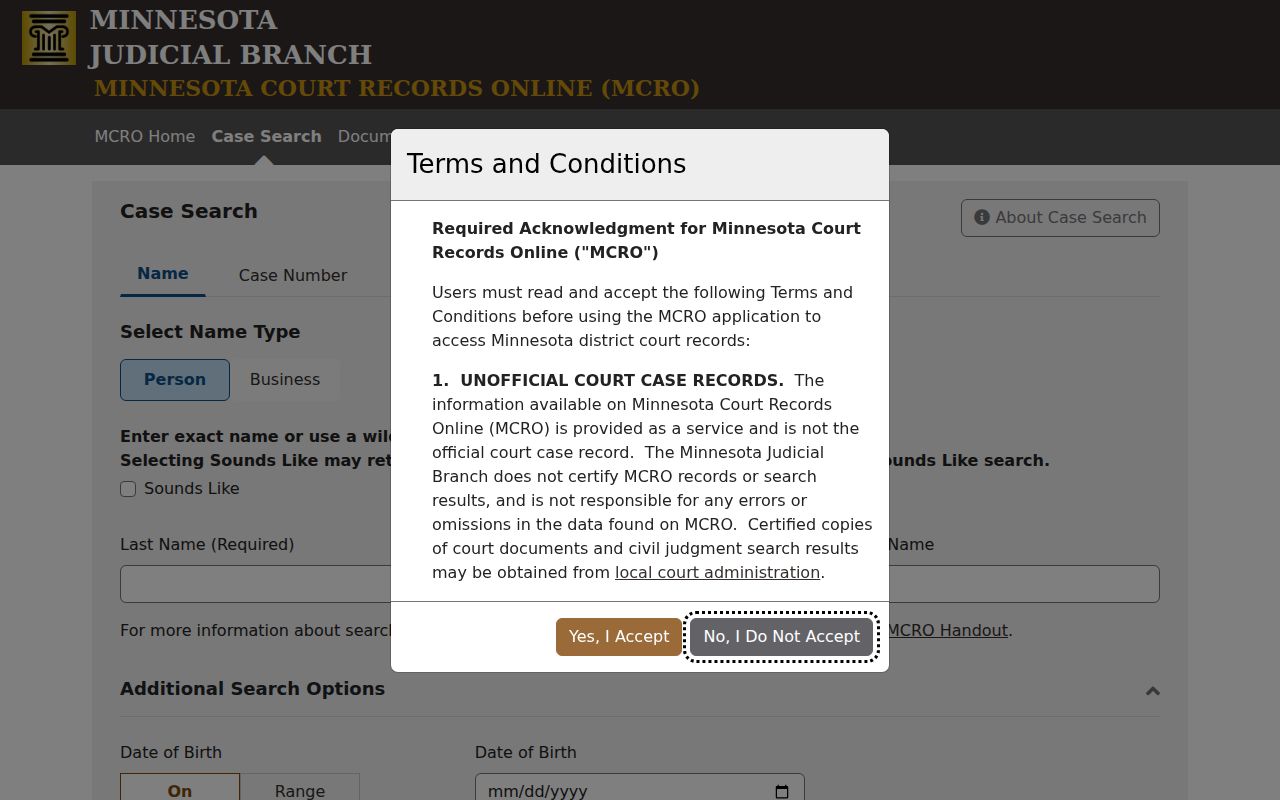
Accepting opens the Olmsted County public search. It does not expand access to sealed, confidential, or non-remotely available court records.
How to Search by Case Number
A full case number is usually the best Olmsted County MCRO route. Choose Case Number. Enter it exactly as printed on the court notice, complaint, sentencing order, or payment plan. Then select Find. There is no safe generic Olmsted County numbering pattern to lean on. So never shorten a number or guess at a code. Treat full case number as printed as the required format. For traffic or ordinance matters, a citation number is its own search path. It is generally a 12-digit number near the upper left of the citation. It often sits beside or below a barcode. Attorney search works too, when an attorney name or bar number is known. Each identifier should lead back to Case Details. Check the Olmsted County case context there.
Olmsted County Case Number Documents
Once the case number is confirmed, MCRO Document Search accepts that number. The screen offers Find Documents and Clear. It is a public-document search for a known Olmsted County case, not a stand-in for the complete courthouse file or a certified copy.
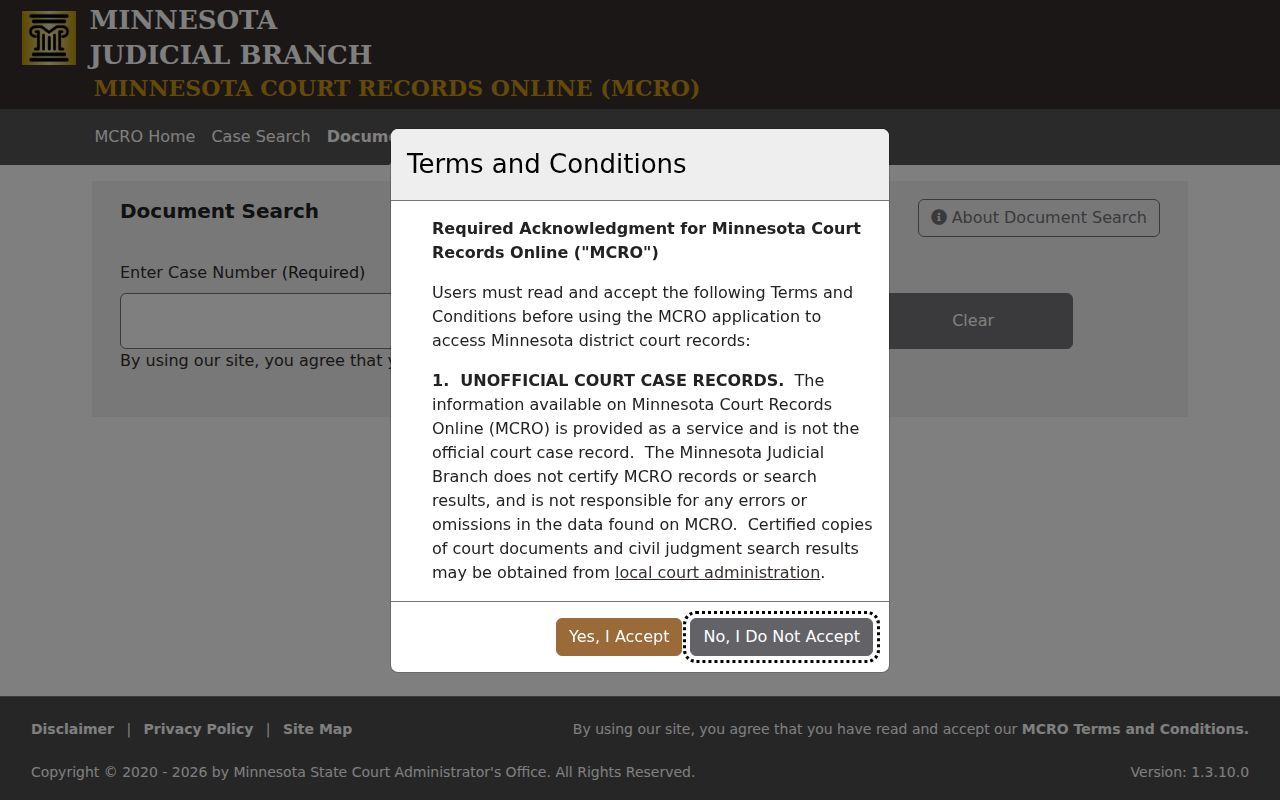
The same identifier moves you from the result list to available filings. It keeps the correct case tied to your request. Olmsted County remote documents follow the Minnesota public-access rules. Major and minor civil and criminal documents filed on or after July 1, 2015 are broadly available. Other case types may offer a narrower document set. Downloads through MCRO are free. A download is not a certified copy, though. Order one from the court if you need that.
What a Case Search Shows
MCRO first returns an Olmsted County list. It shows a case number, a title, and a View Case Details action. Case Details is the Olmsted County Register of Actions view. It can include the case number and title, case type, date filed, court location, judicial officer, status, citation number, flags, related cases, parties, indexed events, hearings, financial information, and an Appear By date. An active warrant flag is serious. Confirm it promptly through the Olmsted County court or an official law-enforcement channel.
| Case Number and Title | The Olmsted County identifiers that distinguish the record from a same-name result. |
|---|---|
| Case Type and Filed Date | Olmsted County classification and opening date that help place the case in context. |
| Court Location and Officer | The Olmsted County venue and judicial officer shown in public case information. |
| Status and Flags | An Olmsted County status such as Open or Closed and any displayed case flag. Neither is a complete outcome summary. |
| Events and Hearings | Olmsted County indexed activity and scheduled hearing information in the Register of Actions. |
| Financial and Judgment Data | Olmsted County public court information that needs the underlying case and satisfaction context. |
Olmsted County Case Register Details
The Olmsted County Register of Actions is a chronological index of filings, proceedings, and activities. The official Case Details handout walks through the public sections and their labels. Remember that a filed event is only a record lead. It says nothing about liability, guilt, payment, or a present warrant condition. Read the party role and the sequence of events before describing any result. A closed case can later show judgment activity, payment information, expungement, or a correction. Cases can share similar names or titles. Use the Olmsted County date, venue, and case number to separate them.
County vs Statewide Case Search
MCRO is one statewide Minnesota public system, not a separate Olmsted County web database. The location selector decides whether your search is statewide or narrowed to Olmsted County. When you know the venue, start locally. Go statewide if the county is uncertain or a filing may have landed elsewhere. Then open Case Details. Verify the Olmsted County court location there.
| Statewide MCRO Search | Olmsted County-Selected MCRO Search |
|---|---|
| Searches public records across selectable Minnesota locations. | Limits the public search to Olmsted County District Court records. |
| Useful when the venue is uncertain or a name produces no local match. | Useful when an Olmsted County court notice, citation, or case information identifies the venue. |
| May produce more same-name results that need careful comparison. | An Olmsted County result still requires matching the case number, title, party role, and filed date. |
Olmsted County Case Search Follow-Up Tools
MCRO splits follow-up research into separate tools. A plain Olmsted County case search is only the start. The public Hearing Search lets you filter by name, case number, judicial officer, attorney, hearing date, category, and county. Treat its results with care. Olmsted County hearings get continued, dropped, or left off the list. Check Case Details and the official daily calendar before you rely on any court date.
For money judgments, the Judgment Search tool works from debtor name, docketed date, judgment status, and location. It covers less ground than a full case record. Once you hold a known Olmsted County case number, documents filed after July 1, 2015 are broadly viewable for major and minor civil and criminal matters, within access rules. MCRO downloads are free. They are not certified copies, though.
Olmsted County Case Search No-Match Checks
A no-match result in an Olmsted County case search is rarely the last word. The county filter may be set wrong, or the name was typed with an error. A lawful spelling variation may be needed. Some cases also sit outside remote access entirely. So an empty screen does not mean the county has no court matter on file.
Work the problem. Enter the full Olmsted County case or citation number when you have it. If the docket search still comes up empty on a current matter, go to a courthouse terminal or call Court Administration. Do not just repeat the same broad name hunt.
Restricted Cases and Access Rules
Minnesota's Rule of Public Access, including Rule 8, draws a line. One side is what you can reach remotely; the other sits in the courthouse file. The remote document set for an Olmsted County public case can run smaller than the paper file. Family and post-adjudication paternity cases usually show only court-prepared orders, opinions, and notices online. Rule 8 also covers registers, calendars, indexes, judgment dockets, and the redaction of sensitive data.
Then there is Rule 4. It names the Olmsted County records that stay nonpublic or get special handling, from sealed material to protected categories. Juvenile, child-protection, civil-commitment, domestic-abuse, and harassment files may all be limited. A blank result proves nothing. Anyone with a lawful right to restricted material should contact Olmsted County Court Administration. Ask about identity verification, a CON101 form, or a court order.
Olmsted County Case Search at MNPAC
When MCRO shows no Olmsted County public record, the MNPAC terminal inside a district courthouse is usually the fuller electronic option. The Judicial Branch's Access Case Records information explains how MNPAC and counter access work. It also covers the limits that still guard sealed or confidential Olmsted County files.
The counter at Olmsted County Court Administration handles locally stored public records too. Most requests finish the same day. Off-site files can take longer, so plan for that. To get an Olmsted County copy by mail, send the statewide form or a letter with the county, case, and document details. Confirm the current destination and payment method with Court Administration first. Lawyers and parties can file through Minnesota eFile and eServe in their own cases. That system is no shortcut into the public record.
Olmsted County Case Mail Requests
Mail works for copies too. The Judicial Branch's copy-request instructions accept either the statewide form or a plain letter for an Olmsted County court record. Name the Olmsted County case number, the document, and any certification you need.
Pay by check or money order if the court directs payment, never cash. Before anything leaves your mailbox, confirm the current mailing destination, the copy charge, and the handling time with Olmsted County Court Administration.
Olmsted County Pending Criminal Cases
One quirk of MCRO: an Olmsted County pending criminal case may stay hidden in a defendant-name search until conviction. That is a search limitation, nothing more. It does not mean the charge is gone. Search by case number or citation number instead. You can also try the attorney path or use an MNPAC terminal. The search screens themselves remind you to lead with your strongest identifier.
Need local routing? Court Administration's main line is (507) 722-7264. Criminal or juvenile delinquency routing is (507) 722-7279. The Olmsted County contact directory lists the other division numbers. A call can confirm where to file or appear. It can never replace the court record itself, though.